Make time for your people.
AI assistant that is more than just a shared calendar. See who’s around, plan together, and keep private things private. Your one-stop-shop for what matters most.
Works with Google Calendar · Coming soon to your app store
How it works
A few steps and the group chat stops asking “when are you free?”
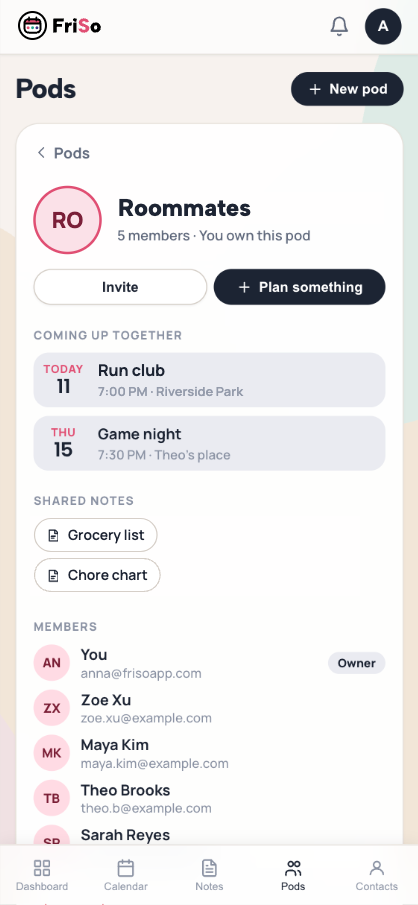
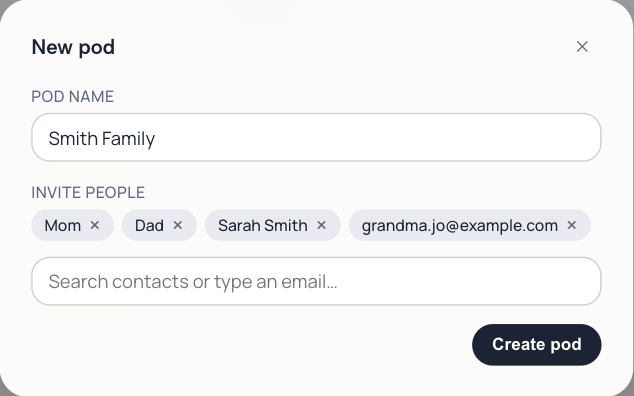 MKMaya joined
SLSam joined
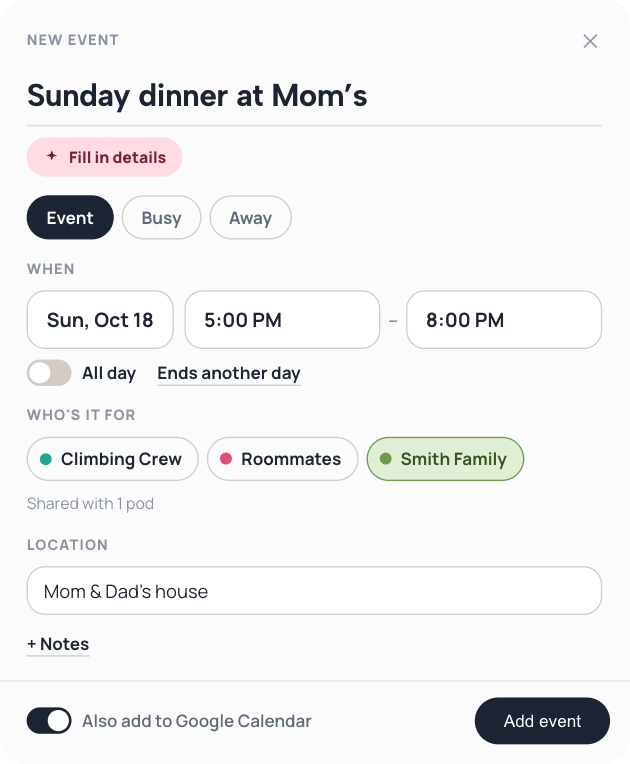 SFShared with Smith Family
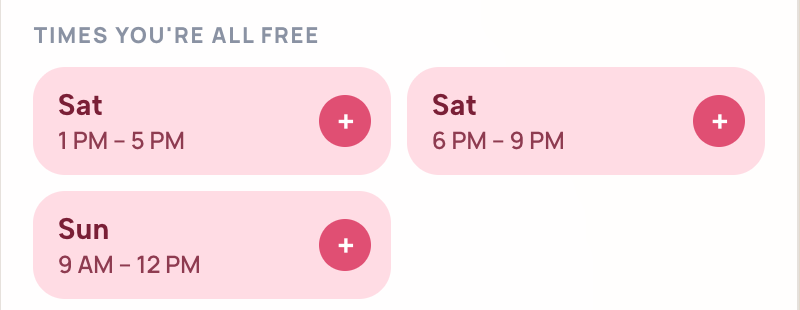 Everyone’s free Sat 1–5 PM
Know who’s around
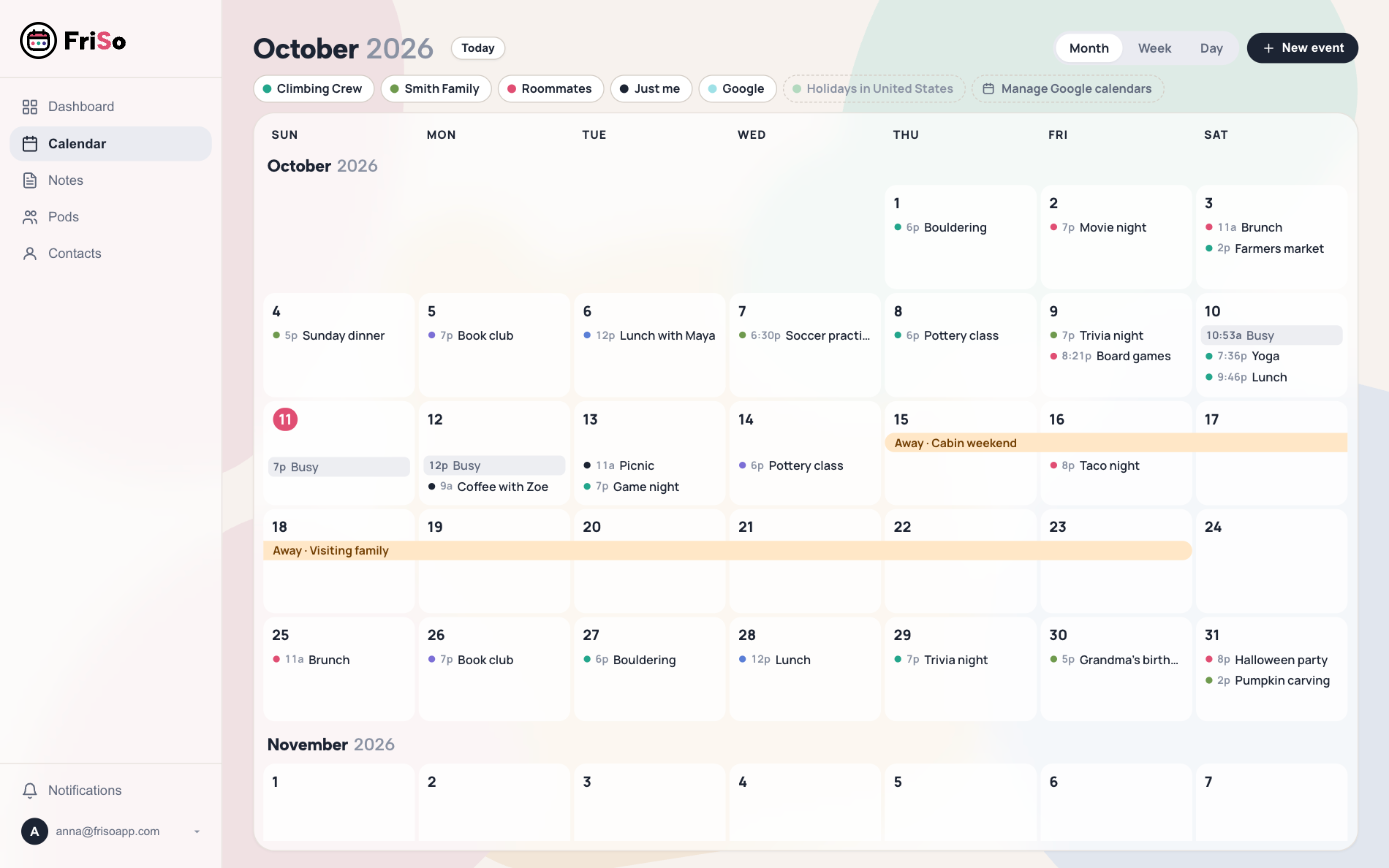
Consolidate all your calendars, and share only what you want people to see.
- Share your plans with your pod in just one tap
- Suggested times for when everyone is available
- Integrated with your third-party calendar - but on your own terms
Show you’re busy
(without the details)
Mark something Busy and your pods only see that you’re blocked off. The title, place, and notes stay with you. The event itself is never sent to anyone else.
Find a time that works for everyone
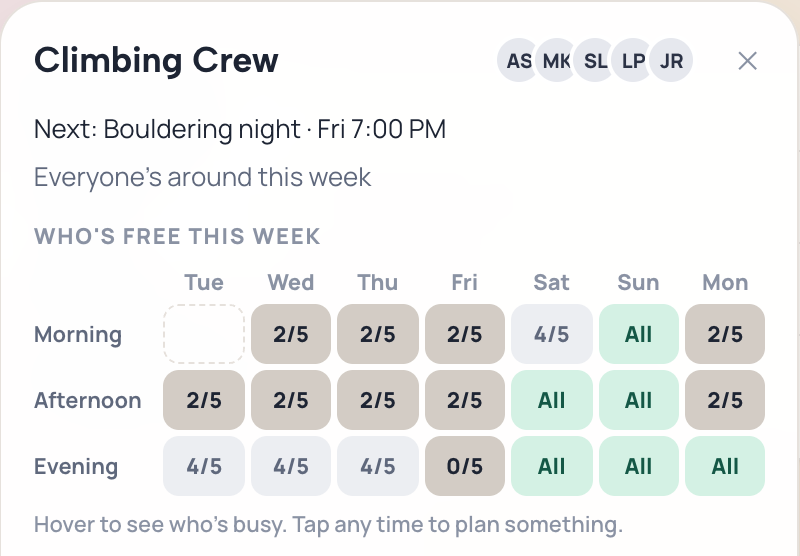
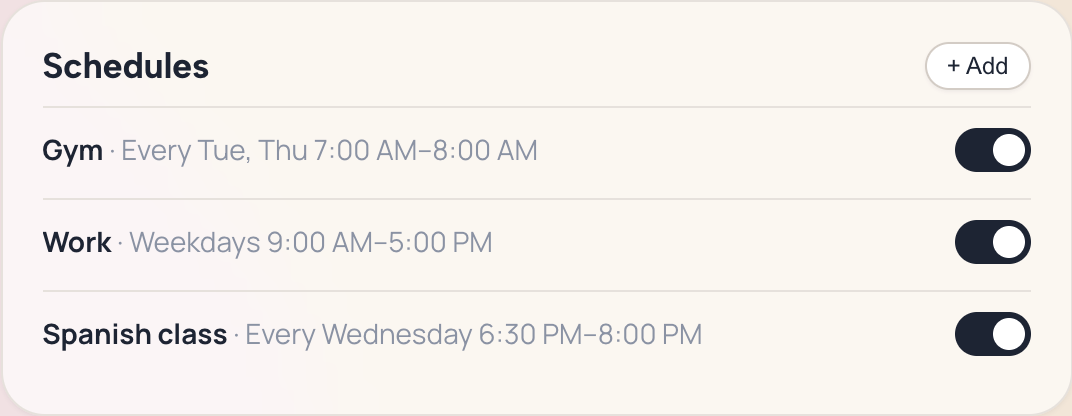
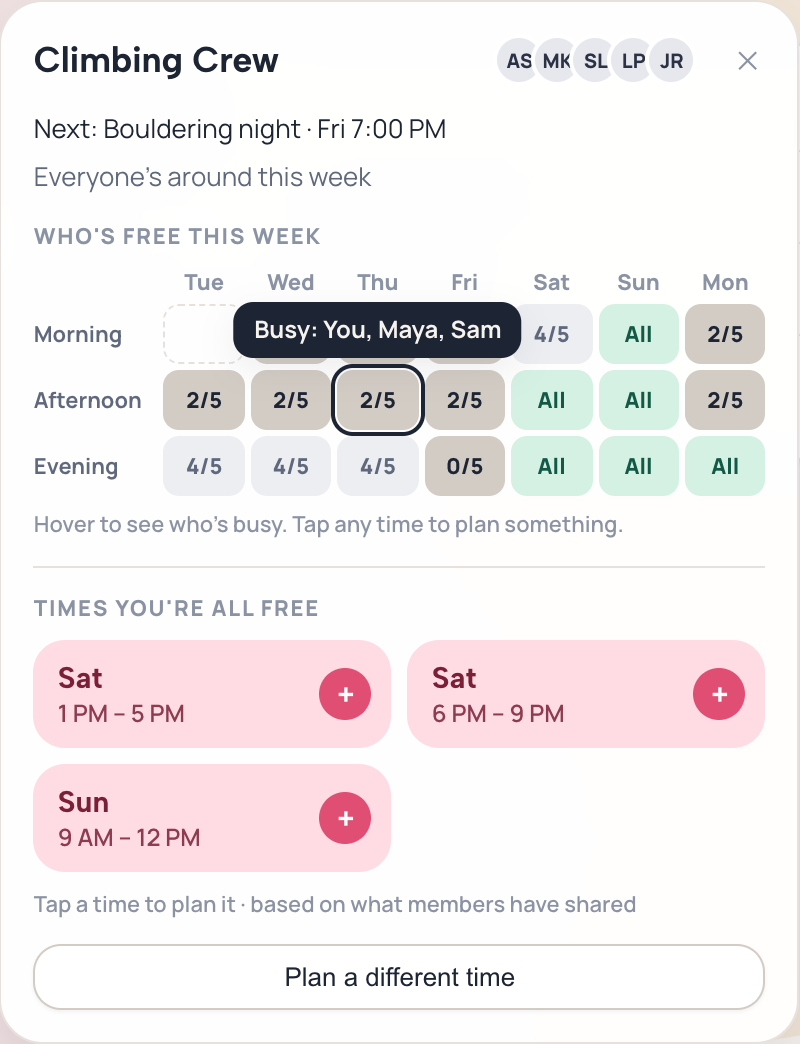
Who’s Free This Week shows you everyone’s available times. Schedules allow you to add and share recurring events without the clutter.
- See who’s free at a glance
- Simplify decisions with suggested times
- Block off repeating events without cluttering your calendar
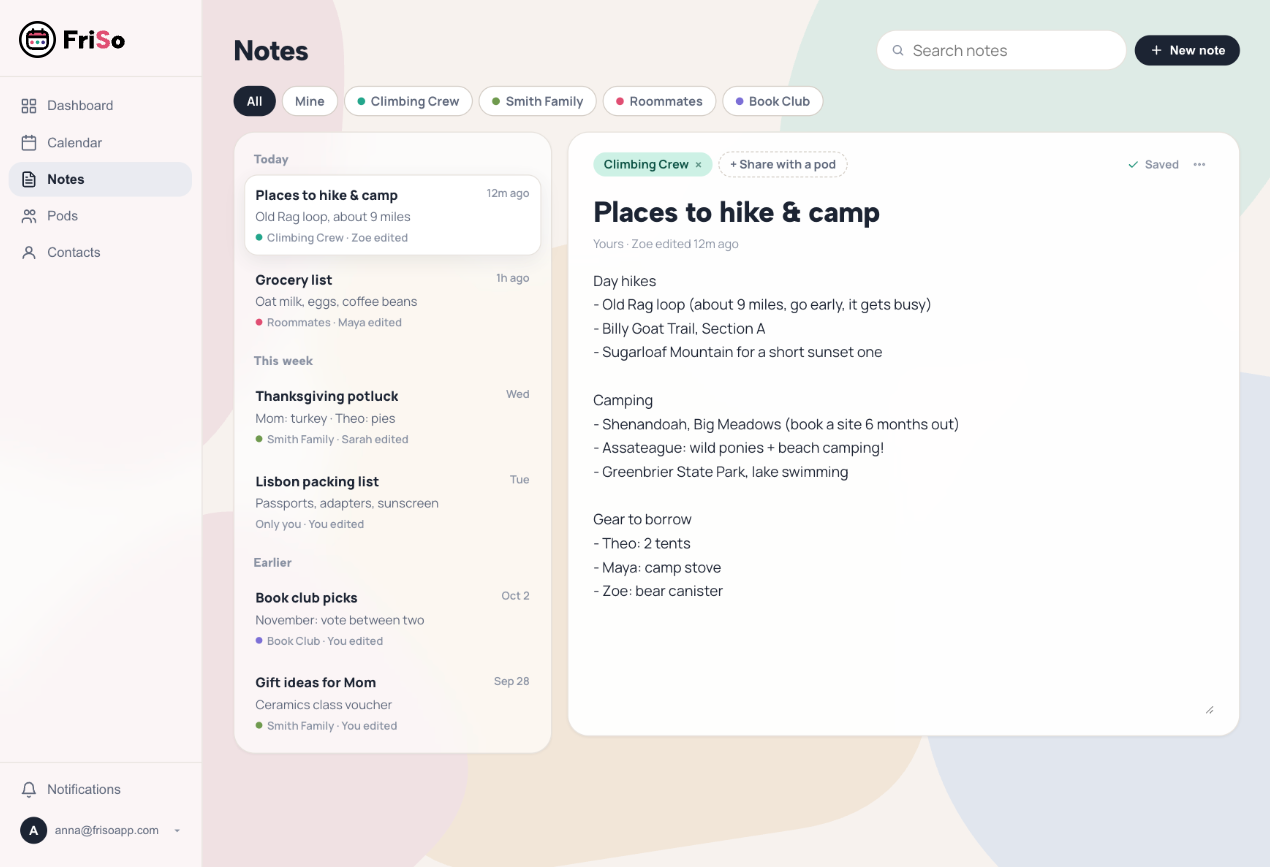
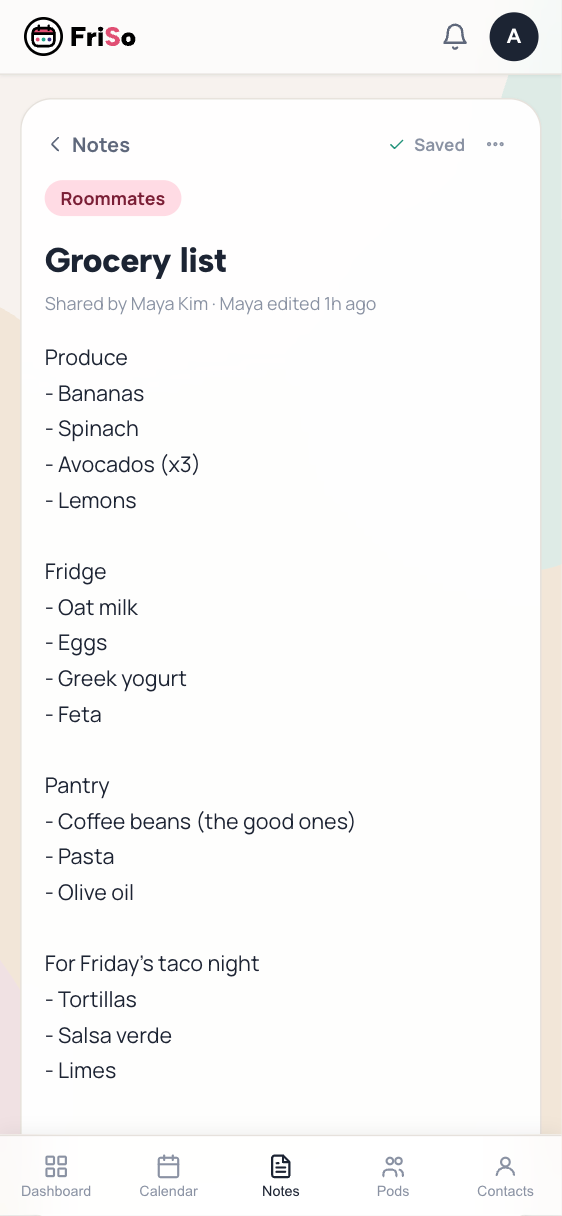
Notes the whole pod can add to
Shared notes for everything around the plans. Anyone in the pod can add to them, and they save as you type.
Integration with Third-Party Calendars
Connect once to a third-party calendar to sync your events. Your third-party calendar events stay private unless you choose to share one.
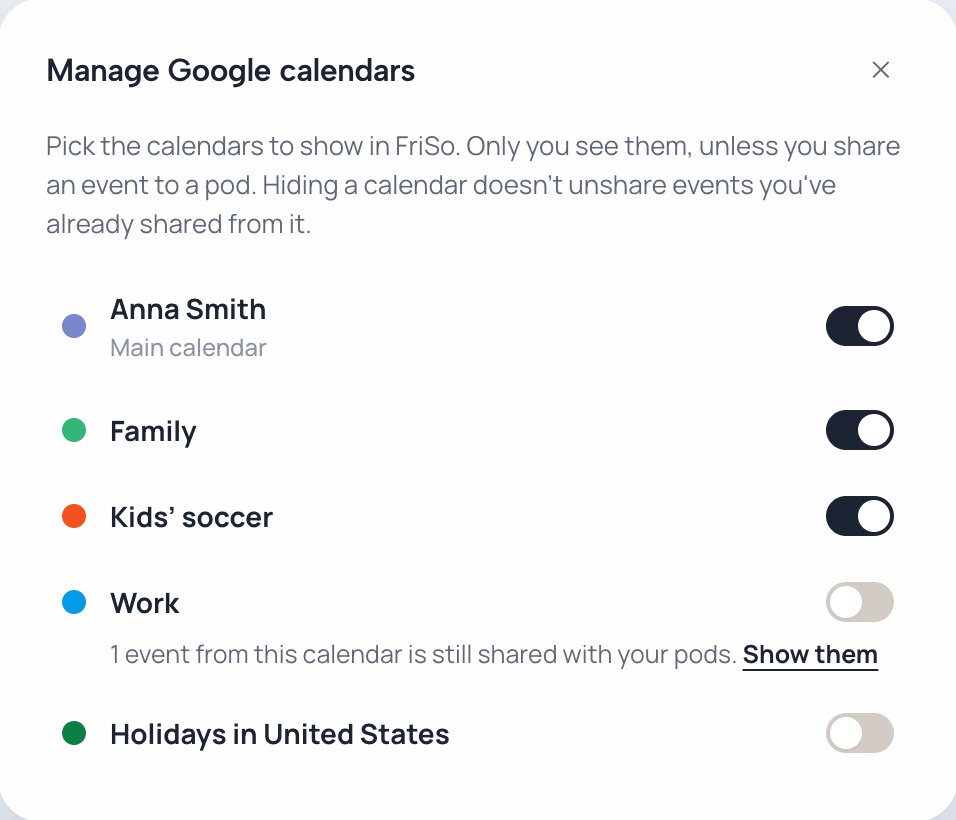
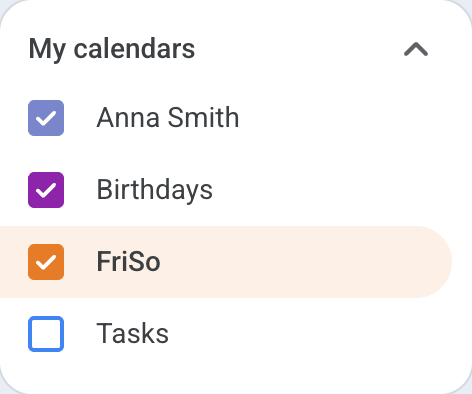
Pick your calendars
Work, family, the kids’ soccer schedule: switch on the calendars you want in FriSo.
- Every calendar gets its own filter, so you can show or hide it in a tap
- Privacy first: only the calendars you switch on show up in FriSo
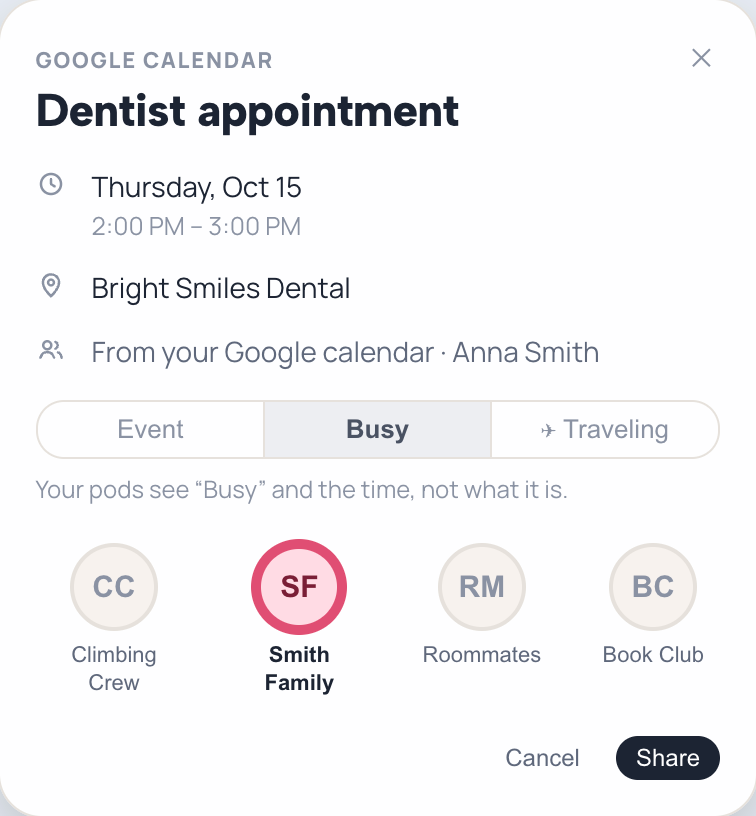
Share events or keep them private
Your third-party events stay yours until you pick one to share. Send it to a pod as it is, or as Busy so they only see your taken time slot.
- Share with one pod or several at once
- Change your event and the shared copy catches up next time you open FriSo
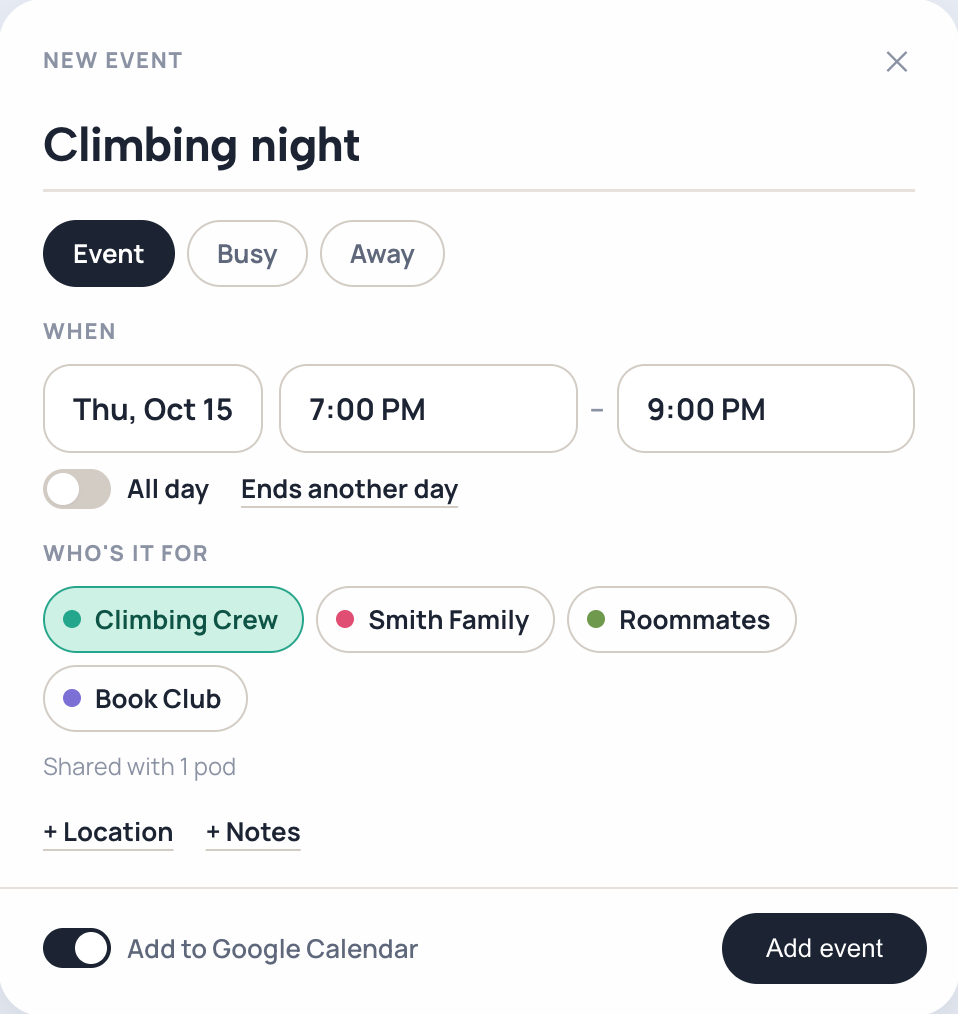
Two-way integration
Switch on “Add to Calendar” and FriSo syncs your event to your third-party app as its own calendar. FriSo does not interfere with your other calendars, so there is no risk of overwriting.
- Edit or delete in FriSo and the copy follows
- Never touches your other calendars
Currently integrated with Google Calendar
Made for your phone, too
Check in on your plans from anywhere.
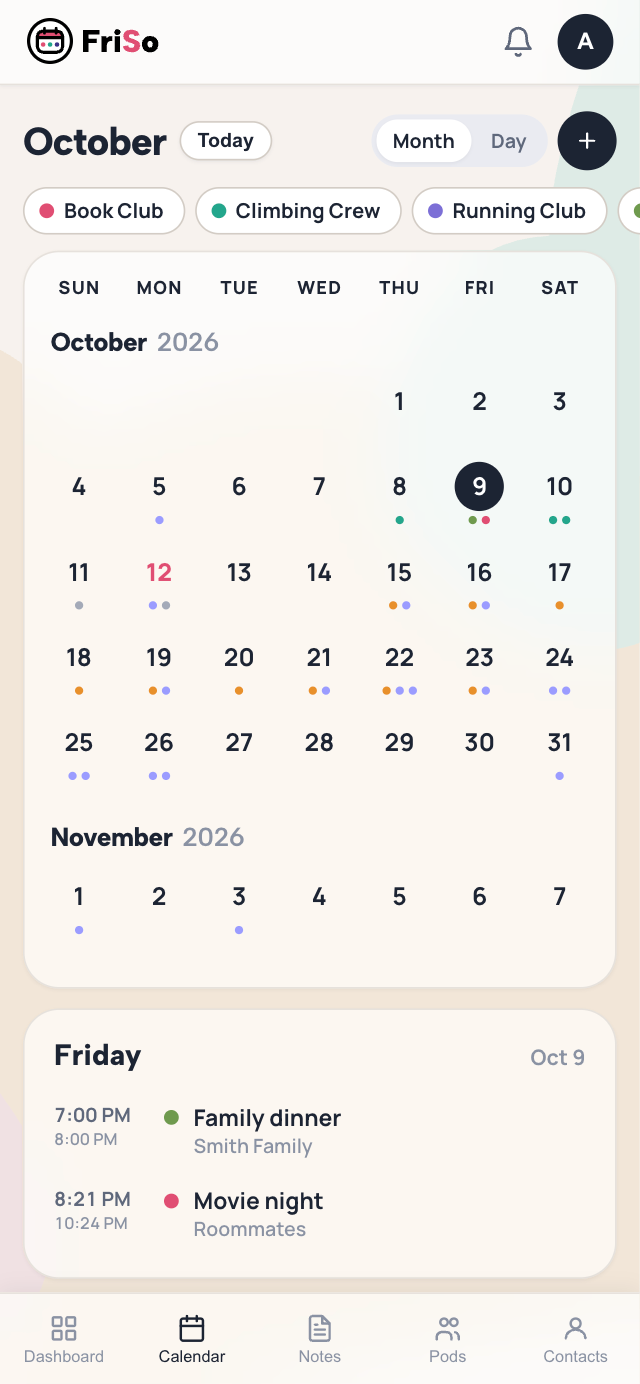
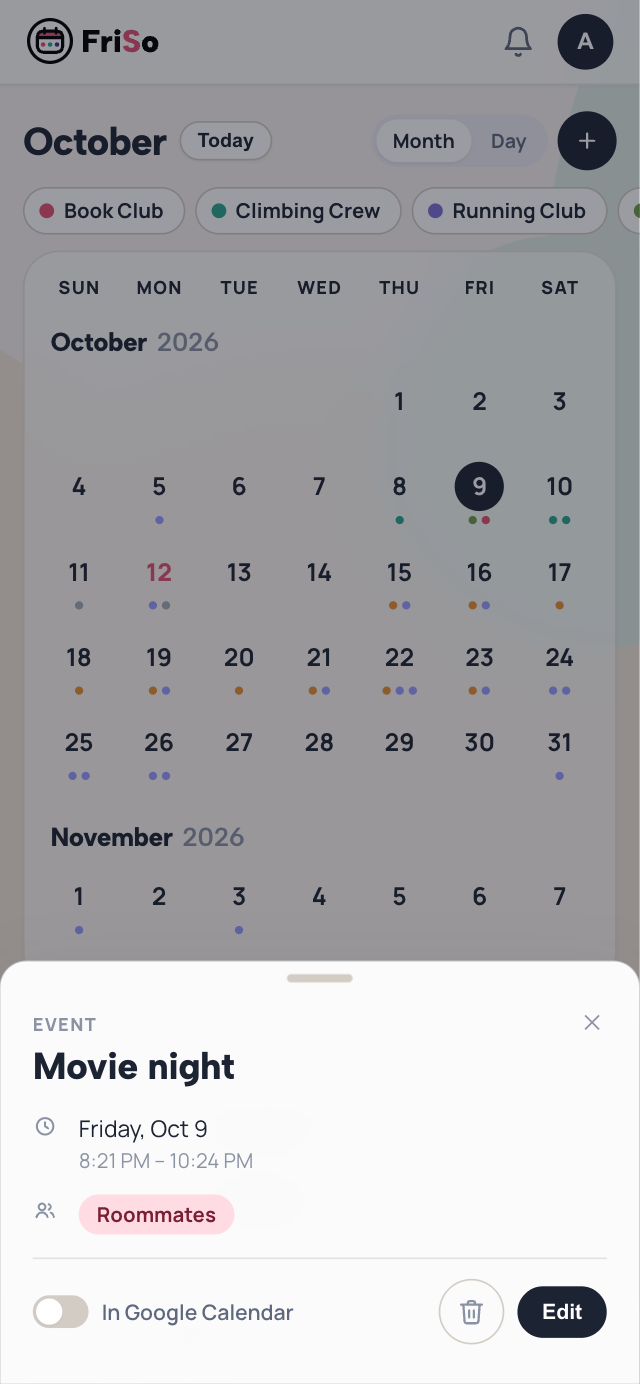
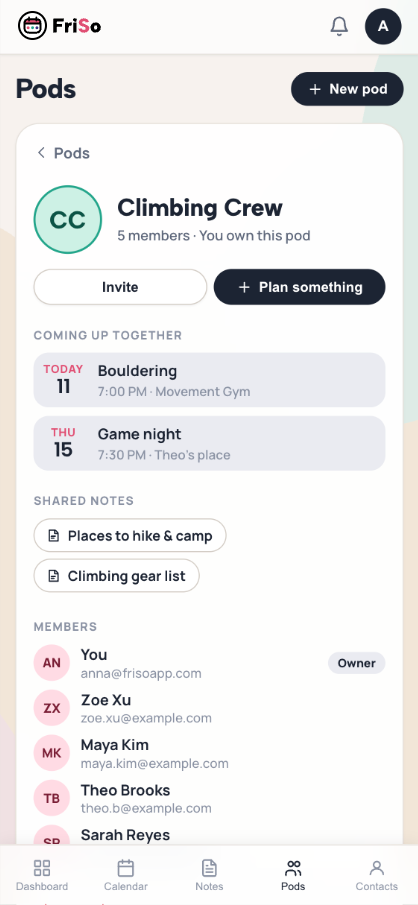
Coming soon to iOS and Google Play
Your calendar stays yours
FriSo only uses your calendar to keep you and your pods organized.
You decide who sees what
A plan is seen only by the pods you share it with. Details of your plans can also be removed and just show a blocked off time for others.
Third-party data used for one thing
FriSo reads your third-party calendars to show them to you. It isn’t sold, used for ads, or shared with anyone you didn’t choose.
Leave anytime
Disconnect your calendars in Settings and FriSo stops reading them right away.
Read the full privacy policy.